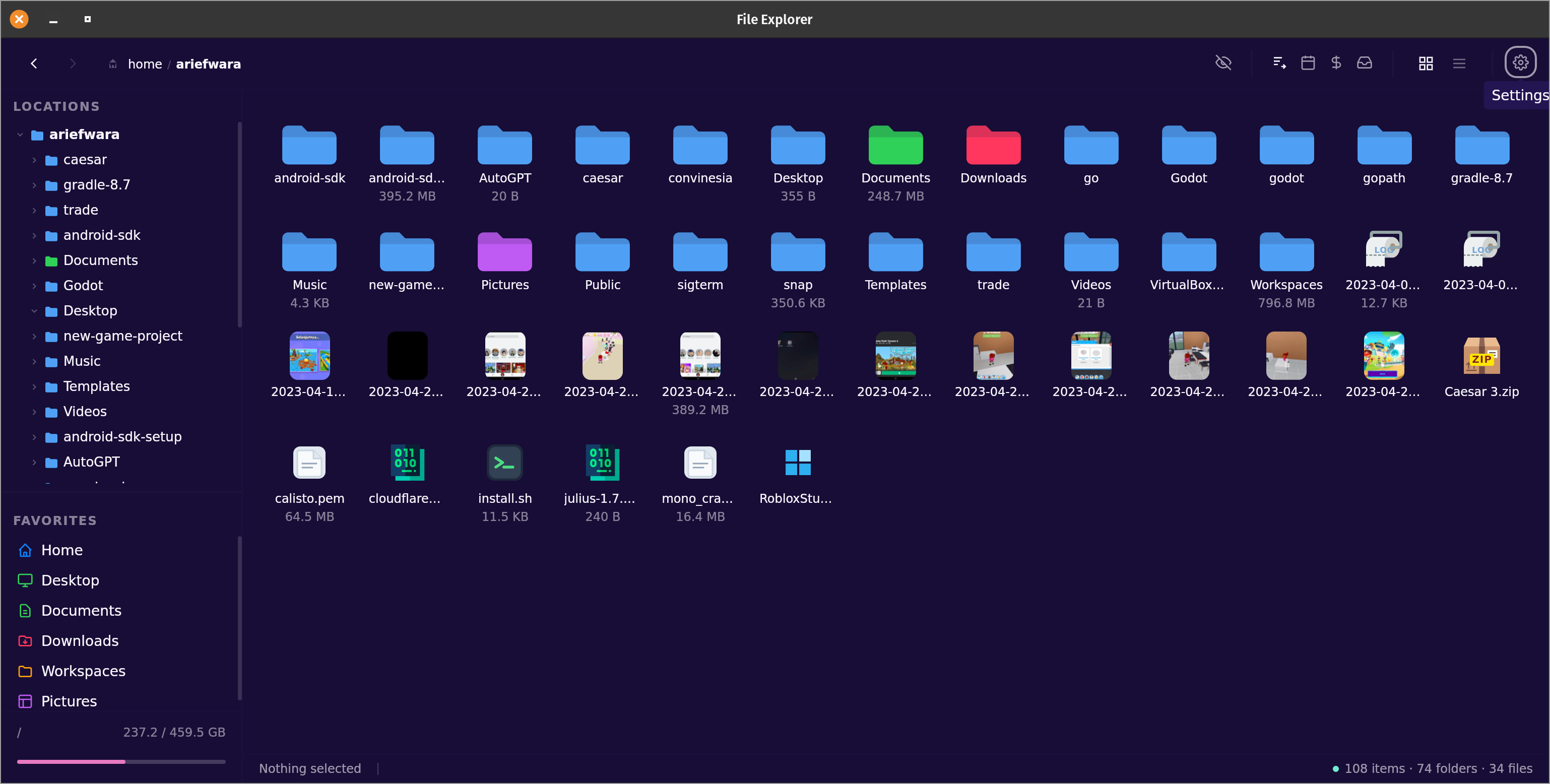
Modern file managers dropped the folder tree sidebar. We brought it back — with a clean dark interface, thumbnail previews, and instant navigation. Available for Linux, Windows, and macOS.
Designed for developers and power users who want a file manager that gets out of the way.
Switch between grid view for visual browsing and list view for dense information display. Your preference is remembered.
Automatic thumbnail generation for images, videos, and PDFs. See your files at a glance without opening them.
Files appear as they load — no spinner, no waiting. Even folders with thousands of items feel immediate.
Right-click any file to open it with any installed application. Set your preferred app as the default with one click.
Drag files between folders using the sidebar tree or directly in the main area. Supports multi-file drag operations.
Select multiple files with Ctrl+click or drag-to-select. Copy, cut, paste, rename, or delete in bulk.
Always-visible expandable folder tree — the feature modern file managers dropped. Navigate deep folder structures without losing context.
Full keyboard navigation. Ctrl+C/X/V for clipboard, Delete to trash, F2 to rename, and more familiar shortcuts.
Choose from 32 built-in themes — dark, light, synthwave, dracula, and more. Your preference is saved and restored every time you open the app.
Color-coded badges for instant recognition — no more squinting at filenames.
JavaScript
TypeScript
HTML
Python
Rust
Go
Archives
Images
Markdown
JSON
TOML / YAML
Modern file managers stripped away the folder tree in the name of "simplicity." Power users have been frustrated ever since.
See your folder hierarchy at all times while browsing. Click any folder in the tree to navigate instantly — no losing your place, no clicking back repeatedly.
The tree expands in place. Drill deep into a project folder while keeping the main view focused on your current location.
Pin your most-used folders — Home, Downloads, Documents, Projects — to the sidebar. One click from anywhere, every time.
File Explorer is designed to be minimal and focused. It loads large directories without lag, shows color-coded file type badges so you instantly know what you're looking at, and has a clean dark UI that feels modern. It's for people who want something lighter and more pleasant to use daily.
It's built to be small and efficient — it uses far less memory than typical desktop apps and doesn't load anything it doesn't need. Most file managers were built on heavy frameworks; this one was built from the ground up for speed.
Yes. It works on any Linux desktop environment and registers itself in the taskbar automatically on first launch — no extra setup needed.
On Linux, run curl -fsSL https://raw.githubusercontent.com/ariefwara/file-explorer/main/install.sh | sudo sh. On macOS, use Homebrew. On Windows, use Chocolatey. Direct downloads are also available on the releases page.
Yes — go to your desktop environment's default applications settings and set File Explorer as the default for folders. You can also right-click any folder and choose "Open With → File Explorer → Set as Default".
Free for Linux, Windows, macOS, and Docker. One command to install.
brew tap ariefwara/file-explorer \
  https://github.com/ariefwara/file-explorer
brew install --cask file-explorercurl -fsSL https://raw.githubusercontent.com/\
ariefwara/file-explorer/main/install.sh \
| sudo shdocker run -d \
-p 3000:3000 \
-v /your/folder:/data \
ariefwara/file-explorerThen open http://localhost:3000 — the mounted folder becomes the root.
Free for Linux, Windows, macOS, and Docker. No accounts, no telemetry, no bloat.